


- von kehuiyi
Does iPad Have Wireless Charging? From Old Models to 2026
- von kehuiyi
If you're used to the seamless snap of an iPhone onto a MagSafe charger, it's natural to expect the same from an iPad. However, the answer remains no: Apple has not added native wireless charging to any current iPad, including the new 2026 iPad mini.
This guide explains why iPads still rely on wired power and which charging alternatives provide the best balance of speed and convenience.
As of October 2026, the iPad Pro, iPad Air, standard iPad and new iPad mini do not support native Qi, Qi2 or MagSafe charging. Every current model charges through USB-C. Placing an iPad on a standard wireless charging pad will not charge its battery, even if a magnetic case or stand can hold the tablet in place.
The new iPad mini was announced on October 26 with an 8.5-inch OLED display and A20 Pro chip, but Apple retained USB-C charging. Its box includes a 20W USB-C power adapter and a one-meter USB-C cable. Apple says a compatible 35W or higher adapter can charge it to about 50% in 30 minutes.
|
Current iPad family |
Wireless charging |
Charging port |
Charging note |
|
2026 iPad mini |
No |
USB-C |
20W adapter included; 35W+ for up to 50% in around 30 minutes |
|
iPad Pro |
No |
USB-C |
Use a compatible USB-C Power Delivery adapter |
|
iPad Air |
No |
USB-C |
Use a compatible USB-C Power Delivery adapter |
|
Standard iPad |
No |
USB-C |
Use a compatible USB-C Power Delivery adapter |
Despite the popularity of wireless charging and MagSafe, several practical factors may explain why Apple continues to use wired charging on iPad. Apple has not stated one official reason, so these should be understood as technical considerations rather than confirmed company policy:

Current USB-C charging options are faster and more widely compatible than an aftermarket wireless solution.
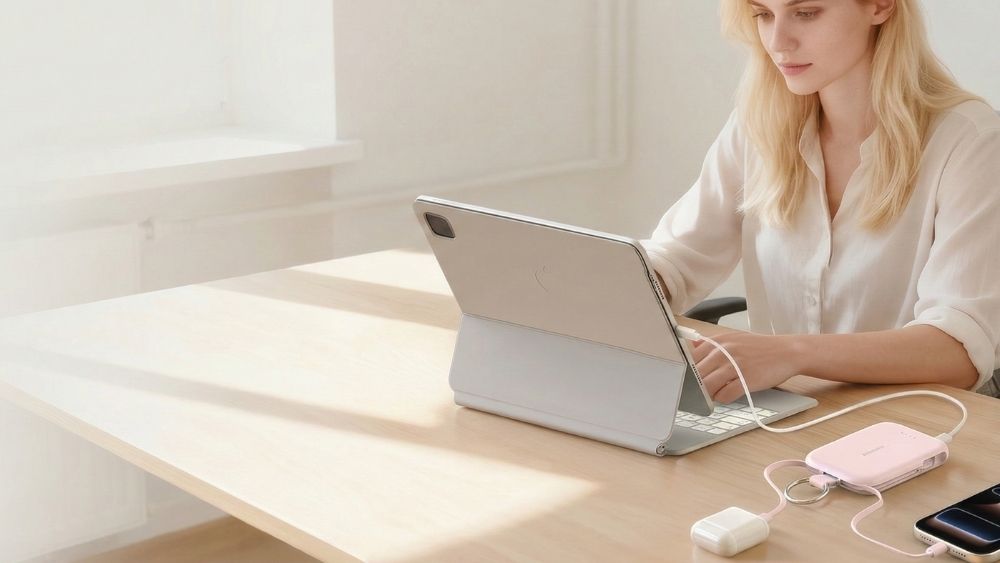
For professionals and travelers, a USB-C power bank provides dependable charging away from an outlet. RORRY portable charger options with suitable USB-C output can keep an iPad powered when no wall outlet is available. Check the single-port output rather than relying only on a combined wattage printed on the charger.
A compact GaN wall adapter can charge an iPad, phone and many USB-C laptops from one travel-friendly unit. When choosing a multi-port model, check how power is divided when more than one device is connected; a 65W total rating does not mean every port supplies 65W simultaneously.
A magnetic dock can hold an iPad at a useful viewing angle, but magnets alone do not provide power. Some compatible keyboards and docks accept USB-C power and pass it to the iPad through the Smart Connector. This is contact-based charging rather than Qi or MagSafe, and compatibility depends on the exact iPad and accessory.
 A plug-in power bank combines a wall charger and portable battery in one device. It can charge an iPad from an outlet and continue supplying portable power after it is unplugged, reducing the number of separate accessories in a travel bag. Check its USB-C output against the charging requirements of your iPad.

Some compatible accessories use the iPad's Smart Connector to receive power without occupying the tablet's USB-C port. This can feel similar to dock-based wireless charging, but it still relies on physical electrical contacts.
Pros:
Cons:

To keep your iPad’s battery healthy through 2026 and beyond, Apple has introduced several new software features in iPadOS. Here is how to maximize your longevity:
Use the "80% Limit" Feature: Available on the iPad Air 8 and M4 Pro models, you can now set your iPad to stop charging at 80%. This significantly reduces battery wear by avoiding the high-voltage stress of a 100% charge.
Use the Correct Wattage: Always use a charger (or portable charger) rated for at least 30W. Using an underpowered phone brick causes the charger to run at maximum heat for hours, which is inefficient and can shorten the lifespan of the adapter itself.
Port Hygiene: If your charging feels "loose," check the USB-C port for lint. A quick clean with a non-conductive tool can often "fix" a seemingly broken charger.
The new 2026 iPad mini brings an OLED display, A20 Pro performance and faster wired charging, but it does not bring MagSafe or Qi2 to the iPad lineup. USB-C remains the fastest and most dependable option. Use the included adapter for ordinary charging, a compatible higher-output adapter when your model supports faster charging, and a USB-C power bank when you need portable power.
If the USB-C port is physically damaged, your only native option is the Smart Connector (the three magnetic pins on the back). By using a compatible dock or a Magic Keyboard, you can bypass the broken port to deliver power directly to the device.
You can charge an iPad by connecting it to a high-output USB-C port on a MacBook or PC, using a high-capacity power bank, or docking it via the Smart Connector pins. Standard low-power USB ports (like those on older cars or airplanes) may be too weak to charge a modern iPad while it's in use.
Yes, but only for about one full charge. Most modern iPads (like the Air 8 or 13-inch Pro) have batteries ranging from 7,600mAh to 10,000mAh. Due to energy loss during transfer, a 10,000mAh bank will typically provide one 0-90% charge. For long trips, a 20,000mAh bank is recommended.
First, check for lint or debris in the USB-C port using a non-conductive tool. Next, ensure your charger provides at least 20W-30W; underpowered phone bricks often fail to trigger the charging icon. Finally, try a "Force Restart" (Volume Up, Volume Down, then hold the Power button) to reset the charging controller.
While not "bad" for a single use, keeping an iPad at 100% while plugged in for weeks can accelerate battery degradation. In 2026, it is best to use the "80% Limit" feature in iPadOS settings to maintain the chemical health of the lithium-polymer battery over the long term.


Share:
RORRY präsentiert RORRY Flow: Alles in Mini, kostenlos zum Mitnehmen
Lädt das Handy im Energiesparmodus schneller? Der Praxistest