


- scritto da kehuiyi
Does iPhone 12 Have Wireless Charging?Tips & Fixes
- scritto da kehuiyi
Yes — every iPhone 12 model supports wireless charging. The iPhone 12 series was also the first iPhone lineup to introduce MagSafe, Apple's magnetic alignment system that makes wireless charging faster and more reliable. This guide covers what each model supports, how to choose the right charger, and what to do when wireless charging isn't working.
All four iPhone 12 models support wireless charging via both Qi and MagSafe. Here's how they compare:
iPhone 12 Mini — Supports Qi (up to 7.5W) and MagSafe (up to 12W). Like the iPhone 13 Mini, Apple caps the Mini at 12W on MagSafe due to its smaller coil and compact thermal design.
iPhone 12 — Full Qi (7.5W) and MagSafe (15W) support. The standard model has no wireless charging limitations.
iPhone 12 Pro — Identical wireless charging hardware to the standard 12. Qi (7.5W) and MagSafe (15W).
iPhone 12 Pro Max — Same speeds as the 12 and 12 Pro. The larger size makes it comfortable to use with most MagSafe accessories.
|
Model |
Qi Speed |
MagSafe Speed |
Notes |
|
iPhone 12 Mini |
Up to 7.5W |
Up to 12W |
Capped at 12W due to compact thermal design |
|
iPhone 12 |
Up to 7.5W |
Up to 15W |
Full MagSafe speed |
|
iPhone 12 Pro |
Up to 7.5W |
Up to 15W |
Identical to standard 12 |
|
iPhone 12 Pro Max |
Up to 7.5W |
Up to 15W |
Same as 12 and 12 Pro |
What about Qi2? iPhone 12 now supports Qi2-compatible chargers through software updates. Qi2-certified chargers from brands like Anker, RORRY, and UGREEN can deliver up to 15W on compatible iPhones — no Apple MagSafe certification required. That said, MagSafe remains the most reliable and best-supported option for magnetic wireless charging on iPhone 12.

No — wireless charging on iPhone 12 is always active. There's no toggle to enable or switch to flip. Place your iPhone on any compatible Qi pad or MagSafe charger, and charging starts automatically.
If charging doesn't begin immediately, the issue is usually one of three things: the charger isn't plugged in properly, the phone is misaligned with the charging coil, or a case or metal object is blocking the connection. For travel or situations where a wall outlet isn't available, a rorry portable charger with wireless output keeps your iPhone 12 charged without any extra setup.
iPhone 12 was the first iPhone to support MagSafe, which means there are now two distinct wireless charging paths. Understanding what MagSafe is and how the magnetic system works helps you choose the right charger for your setup.
Qi charging: Qi is the universal wireless standard. Any Qi-certified pad or stand works with iPhone 12 at up to 7.5W. No magnets, no automatic alignment — you position the phone manually and hope the coils line up. It's affordable and widely compatible, but slower and less reliable than MagSafe.
MagSafe charging: MagSafe uses a ring of magnets built into the iPhone 12 to snap the phone into perfect alignment with MagSafe accessories. This guarantees efficient coil contact every time, enabling charging at up to 15W (12W for the Mini). The connection is stronger, the speed is higher, and the experience is noticeably more consistent than Qi.
Which should you use? For overnight charging or casual desk use, Qi works fine. For faster speeds and reliable alignment — especially if you move your phone frequently — MagSafe is worth the upgrade.
Plug your Qi pad or MagSafe puck into a power source. For MagSafe at full speed (15W on most models), use a USB-C adapter rated at 20W or higher. Lower-wattage adapters reduce MagSafe speed.
For Qi pads, center the iPhone over the charging coil — usually marked on the pad. For MagSafe, bring the puck near the back of the iPhone and let the magnets snap it into position.
A charging animation appears on the lock screen, and the battery icon shows a lightning bolt. You'll also hear a brief chime when the connection is made. If nothing appears within a few seconds, reposition the phone.
Wireless charging works best when the phone stays still. Moving it off the coil or picking it up repeatedly interrupts the charge and generates extra heat.
A wireless power bank with MagSafe output follows the same steps — snap or place the phone and wait for the confirmation chime.

Use the right adapter. MagSafe requires a 20W or higher USB-C adapter for full speed. A 5W adapter limits MagSafe to around 7.5W — the same as standard Qi — which defeats the purpose.
Choose a MagSafe-compatible case. Thick cases (over 3mm) reduce wireless charging efficiency. Metal cases block it entirely. MagSafe-certified cases are designed to maintain full alignment and speed.
Keep the surfaces clean. Dust, lint, or a sweaty phone back can weaken the electromagnetic connection. Wipe both the charger and phone with a soft cloth regularly.
Charge in a cool environment. Wireless charging generates more heat than wired. Avoid charging in direct sunlight or under pillows, and don't stack devices on top of each other. Heat causes the iPhone to slow its charging speed automatically to protect the battery.
Update iOS. Apple periodically releases updates that improve wireless charging performance and compatibility. Keeping iOS current ensures your iPhone 12 benefits from the latest optimizations.
Reduce background activity. Closing background apps and reducing screen-on time while charging lets more power go directly into the battery. For maximum efficiency, keep the phone face down or idle during a charge session.
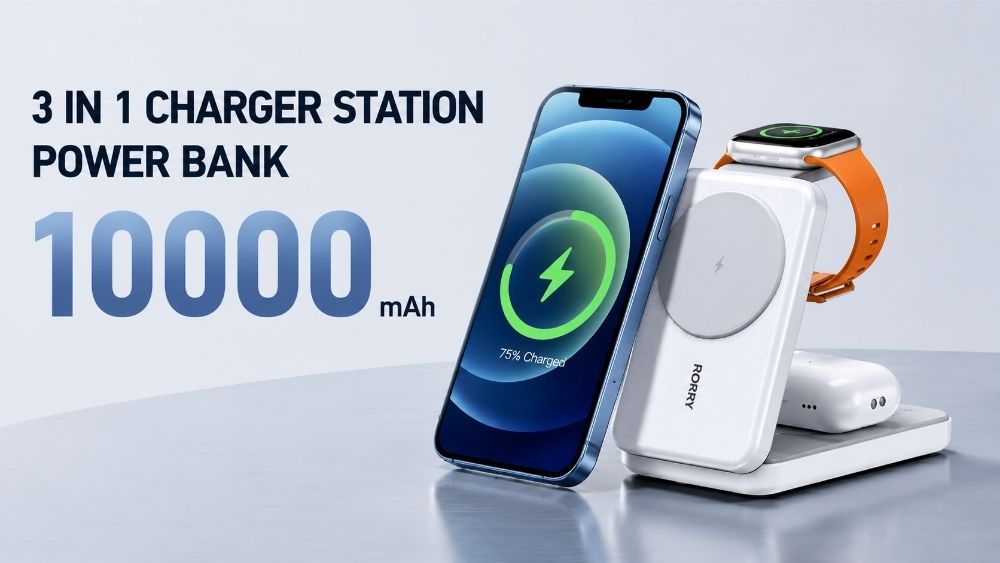
A 3 in 1 wireless charger that charges your iPhone, Apple Watch, and AirPods simultaneously removes the need for multiple pads and keeps your desk or nightstand organized — while ensuring your iPhone always snaps into the correct position.
The most common cause. On Qi pads, if the phone's charging coil doesn't sit directly over the pad's transmitter, charging fails or runs very slowly. Slide the phone around slowly until you hear the chime. On MagSafe, the magnets handle alignment automatically — if it's not charging, check that the puck is fully powered.
Metal cases or cases with built-in card slots containing metal block wireless charging entirely. Thick cases over 3mm reduce efficiency. Remove the case and try again — if charging works without it, the case is the issue.
A 5W USB-A adapter can't push MagSafe to full speed. Use a 20W or higher USB-C Power Delivery adapter. If you're using a Qi pad, adapter wattage matters less, but very low-output adapters can still cause instability.
Lint, dust, or debris between the phone and charger disrupts the electromagnetic field. Clean both surfaces with a dry microfiber cloth before placing the phone.
Occasionally, iOS battery management gets stuck. Force-restart your iPhone 12: press and release Volume Up, press and release Volume Down, then hold the Side button until the Apple logo appears. Then try charging again.
Test with a different charger or adapter to isolate the problem. If the phone charges with an alternative setup, your original charger is the issue. Stick to Qi-certified or Apple-certified accessories to avoid reliability problems.
Every iPhone 12 model — Mini, standard, Pro, and Pro Max — supports wireless charging via Qi, MagSafe, and Qi2-compatible chargers. MagSafe charges at up to 15W (12W for the Mini) with automatic magnetic alignment; Qi2-certified chargers reach the same speeds without requiring Apple certification; standard Qi works at up to 7.5W. For the best experience, pair a MagSafe or Qi2-certified charger with a 20W USB-C adapter and a compatible case.
Yes. All four iPhone 12 models — Mini, standard, Pro, and Pro Max — support both Qi (up to 7.5W) and MagSafe wireless charging. MagSafe reaches up to 15W on most models, and 12W on the Mini.
Yes. iPhone 12 supports Qi2-compatible chargers through software updates. Qi2-certified chargers can deliver up to 15W wireless charging on iPhone 12, the same speed as MagSafe, without requiring Apple's official certification. MagSafe remains the most seamlessly integrated option within the Apple ecosystem.
The most common reasons are a low-wattage adapter (under 20W), misalignment on the Qi pad, a thick or metal case, or using a non-certified charger. For the fastest wireless speeds, use MagSafe or a Qi2-certified charger with a 20W USB-C adapter.
Any Qi-certified charger works, but speed is capped at 7.5W. For 15W charging, use an Apple-certified MagSafe charger or a Qi2-certified charger from a reputable brand — Qi2-certified accessories from Anker, Belkin, and similar brands can reach 15W without requiring Apple's official MagSafe certification.
Yes. Apple's battery management system regulates power input to prevent overcharging and overheating. Wireless charging generates slightly more heat than wired, which can contribute to minor long-term wear, but the difference is negligible under normal use with certified accessories.


Share:
Does Apple Watch Come with a Charger in 2026? Charging Guide
Why My iPhone Won't Turn On or Charge and How to Fix It?