


- von kehuiyi
How to Charge iPad Without a Charger?6 Methods
- von kehuiyi
Yes — you can charge an iPad without its original charger. As long as you have the right cable and a compatible power source, several alternatives work reliably. This guide covers every method worth knowing, which ones are fastest, and how to stay safe while doing it.
Yes. All current iPad models use USB-C, and older models use Lightning. Any power source that accepts a USB-C or Lightning cable can charge your iPad — you're not limited to Apple's original adapter. What matters is that the power source delivers enough wattage and that the cable is of good quality.
Apple recommends at least 20W for iPad charging. Lower-wattage sources work but charge slowly. Some sources — like laptop USB ports — may charge so slowly that the iPad draws more power than it receives if you're actively using it.
No — no current iPad model supports wireless charging, including Qi2. iPads use an aluminum chassis that blocks the electromagnetic fields required for inductive charging. Unlike the iPhone, which uses glass backs to enable MagSafe and Qi charging, iPads have never included a wireless charging receiver coil. iPad does not support MagSafe either.
Third-party workarounds exist: wireless charging adapters that plug into the USB-C port. These work differently from built-in wireless charging — the adapter itself acts as the receiver coil, capturing energy from the Qi pad and passing it to the iPad through the USB-C connection. The iPad's aluminum body is bypassed entirely. That said, these adapters are slow and awkward for daily use. A wireless power bank is a more practical option for cable-free charging on the go — connect via USB-C and the iPad charges normally.

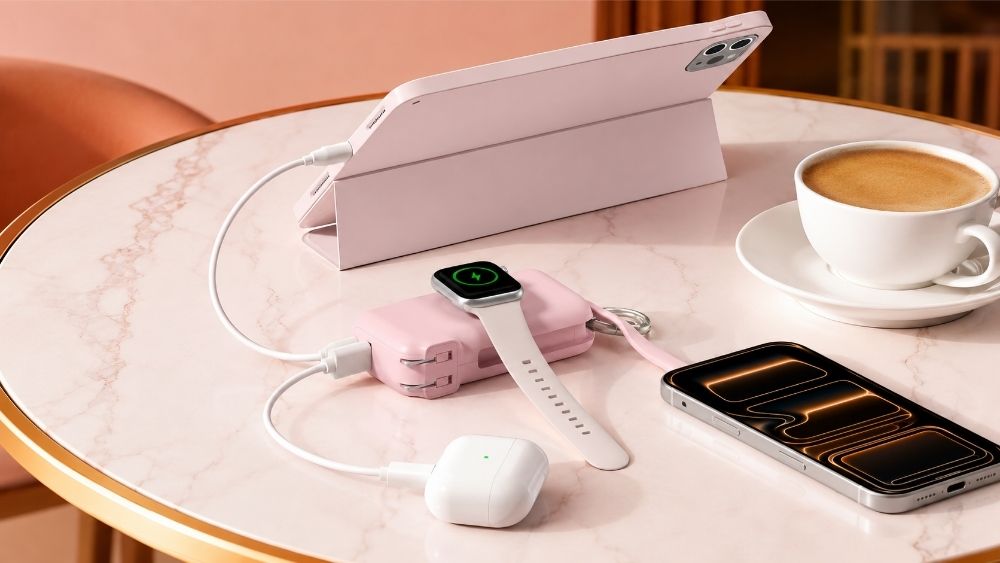
The most practical alternative for travel and daily use. Connect your iPad to a power bank using a USB-C or Lightning cable, and it charges exactly as it would from a wall outlet. Look for a power bank with at least 20W USB-C output to maintain reasonable charging speed — lower output works but is noticeably slower on an iPad's larger battery.
For multi-day trips, a 20,000mAh or higher capacity covers several full charges. For daily carry, a 10,000mAh unit is more portable and still provides one to two full charges depending on your iPad model.

Most laptops have USB-C ports that can charge an iPad. Connect your iPad to the laptop using a USB-C to USB-C cable — or USB-C to Lightning for older models. Charging speed depends on the laptop's port output, which typically ranges from 15W to 30W. This is slower than a dedicated 20W wall adapter but works fine for overnight charging or long work sessions.
USB-A ports on older computers deliver very low wattage (around 5W to 12W) and may charge the iPad too slowly to keep up with active use. Use USB-C where possible.
A USB-C car charger plugged into your vehicle's 12V outlet works well for charging on the road. Look for a car charger with USB-C Power Delivery (PD) output rated at 20W or higher. Some models include dual ports for charging an iPad and a phone simultaneously.
Always charge the car while it's running to avoid draining the vehicle battery, and use a certified cable to ensure stable power delivery.
Airports, libraries, cafes, and hotels often have public charging stations with USB-A or USB-C ports. Bring your own cable — most stations don't provide one — and use a charging-only cable if you're concerned about data security. When prompted to "trust this computer," choose charge only to prevent any data transfer.
Charging speed at public stations varies widely — USB-A ports typically output 5W to 12W, which is too slow to keep up with an iPad in active use. Treat public stations as emergency top-ups only, not a primary charging method.
A solar charger is worth carrying for extended outdoor trips where no power source is available. Connect your iPad to the solar panel's USB-C output port and leave both in direct sunlight. Charging is slow — expect similar speeds to a 5W to 10W adapter — but it's a reliable emergency option when nothing else is available.
Choose a solar charger with at least a 20W panel output and a built-in battery so it can store solar energy and charge your iPad even when sunlight isn't available.
A Qi wireless charging adapter plugs into the iPad's USB-C port and acts as a receiver coil — it captures energy from a Qi charging pad and passes it into the iPad via the USB-C connection. The iPad's aluminum body is not involved in the process at all, which is why this workaround functions despite iPads having no built-in wireless charging hardware.
In practice, these adapters are slow (5W to 10W), add bulk to the bottom of the device, and require careful positioning on the pad. They're a genuine workaround for a stationary overnight charge, but not practical for daily use.

|
Method |
Approx. Output |
Notes |
|
Power bank (20W+ USB-C PD) |
18–30W |
Closest to the wall adapter speed |
|
Car charger (USB-C PD) |
18–30W |
Good for road trips |
|
Laptop USB-C port |
15–30W |
Varies by laptop model |
|
Public charging station |
5–18W |
USB-A is too slow for active use |
|
Solar charger |
5–20W |
Weather-dependent |
|
Wireless charging adapter |
5–10W |
Slowest option |
Note on iPad model limits: iPad Air and Mini accept up to around 20–22W; iPad Pro 11" and 12.9" accept up to 30W. A charger rated higher than your iPad's limit is safe — the iPad draws only what it needs.
For the fastest charge without the original adapter, a 20W+ power bank or USB-C car charger is your best option.
Yes, with the right accessories. iPads have built-in power management that regulates incoming current, so using a third-party charger won't automatically damage the battery — as long as the charger meets basic quality standards.
The risks come from uncertified, low-quality chargers and cables. These can deliver unstable voltage, generate excess heat, or fail to meet Apple's current specifications. Over time, this stresses the battery and can cause swelling or faster degradation.
To stay safe:
Use MFi-certified cables for Lightning iPads
Use USB-IF certified cables and chargers for USB-C iPads
Avoid very cheap, unbranded accessories
Don't charge in hot environments or leave the iPad in direct sunlight while charging
Match the wattage. Apple recommends 20W or higher for iPad. Underpowered chargers don't damage the battery but extend charging time significantly, which keeps the battery at a partial charge longer than necessary.
Don't charge to 100% constantly. Keeping the iPad between 20% and 80% during daily use extends battery lifespan. Occasional full charges are fine, but leaving it plugged in at 100% overnight regularly adds unnecessary stress to the cells.
Keep it cool while charging. Heat is the biggest accelerant of battery degradation. Remove the case if the iPad gets warm during charging, and avoid charging in direct sunlight or enclosed bags.
Use a certified portable charger. When relying on third-party accessories regularly, stick to reputable brands. A certified portable charger with over-voltage protection and regulated output gives you the same reliability as the original adapter without the risk of unstable power delivery.
Avoid public charging stations for regular use. They're fine for emergencies, but the inconsistent output and data security considerations make them a poor choice for everyday charging.
Yes. If both use USB-C, any iPhone charger works with an iPad. A 20W iPhone adapter charges the iPad at a reasonable speed. If your iPad uses Lightning, a Lightning-to-USB-C cable connected to a USB-C adapter also works.
Yes, as long as it's USB-C and the output doesn't exceed 30W. Most modern Android USB-C chargers are compatible. Avoid chargers with proprietary fast-charging protocols (like some Qualcomm Quick Charge adapters) — they work but may not interact optimally with the iPad's power management.
Laptop USB ports — especially USB-A — deliver less wattage than a dedicated wall adapter. USB-A typically outputs 5W to 12W, while the iPad can accept up to 30W. Switch to a USB-C port on your laptop if available, and close background apps on the iPad to reduce power draw while charging.
Yes, if the power bank has overcharge protection. Most quality power banks stop delivering power once the device reaches 100%. Check that the power bank is from a reputable brand before leaving it unattended overnight.
Not natively. No iPad model has built-in wireless charging or Qi2 support. A third-party wireless charging adapter that plugs into the USB-C port can enable Qi charging, but it's slow and not ideal for regular use.


Share:
Will a Swollen Battery Explode? Signs & What to Do
Best Portable Chargers for iPhone 2026