


- por kehuiyi
Fast vs. Slow Charging: Which is Better for Your Battery?
- por kehuiyi
Slow charging is usually gentler on a battery because it tends to create less heat, but modern fast charging is safe for normal daily use. The better option depends on how quickly you need power, how warm the device becomes, and whether the charger, cable, and device support the same charging standard. For most people, the best approach is to use fast charging when time matters and slower charging when it does not.
If both methods keep the device within its normal temperature range, the long-term difference may be small. Slow charging has an advantage when it produces less heat, while fast charging offers a clear time advantage. Fast charging becomes more stressful only when higher power repeatedly keeps the battery hot or when damaged and incompatible accessories are involved.
Charging speed is also device-specific. A 20W charger may be fast for one phone but inadequate for a tablet or laptop. Fast charging means charging at or near the higher power level supported by the device, not reaching one universal wattage.
|
Factor |
Fast Charging |
Slow Charging |
Best Use |
Battery Consideration |
|
Speed |
High when device and accessories match |
Lower |
Short charging windows |
Speed alone does not determine battery wear |
|
Heat |
May produce more heat |
Usually produces less heat |
Choose the method that keeps the device comfortable |
Repeated high temperature accelerates aging |
|
Equipment |
Compatible charger and cable required |
Works with lower-power sources |
Match the device protocol |
Damaged or poorly regulated gear is the larger risk |
|
Convenience |
Useful for travel and busy days |
Useful when time is available |
Combine both methods |
Use charging optimization where available |
Lithium-ion batteries gradually lose capacity with age and charge cycles. Charging speed is only one part of that process. Temperature, time spent at a very high state of charge, deep discharge, device use during charging, and the battery management system can all affect long-term health.
Higher power can generate more heat, particularly when the screen, processor, camera, or mobile connection is also working hard. That does not mean every fast-charging session damages the battery. Modern phones monitor voltage, current, battery level, and temperature, and may reduce or pause charging when conditions are unsuitable.
A phone does not normally draw its maximum charging power from 0% to 100%. Compatible devices take more power when the battery is low, then reduce the rate as the battery fills. Apple, for example, describes fast charging to around 80% followed by a slower final stage that limits heat and battery stress.
The charger and cable must still support the required protocol. A compatible USB-C power bank can negotiate the power requested by a phone or tablet, while an incompatible cable or protocol may simply produce a lower charging speed.

Fast charging is useful when a short charging window matters. It can restore meaningful battery life during a commute, airport stop, meeting, or lunch break, and it is often necessary for higher-power devices.
Its main disadvantage is the possibility of additional heat. Actual temperature depends on the device, battery level, charger design, cable, ambient temperature, case, and what the device is doing while it charges.
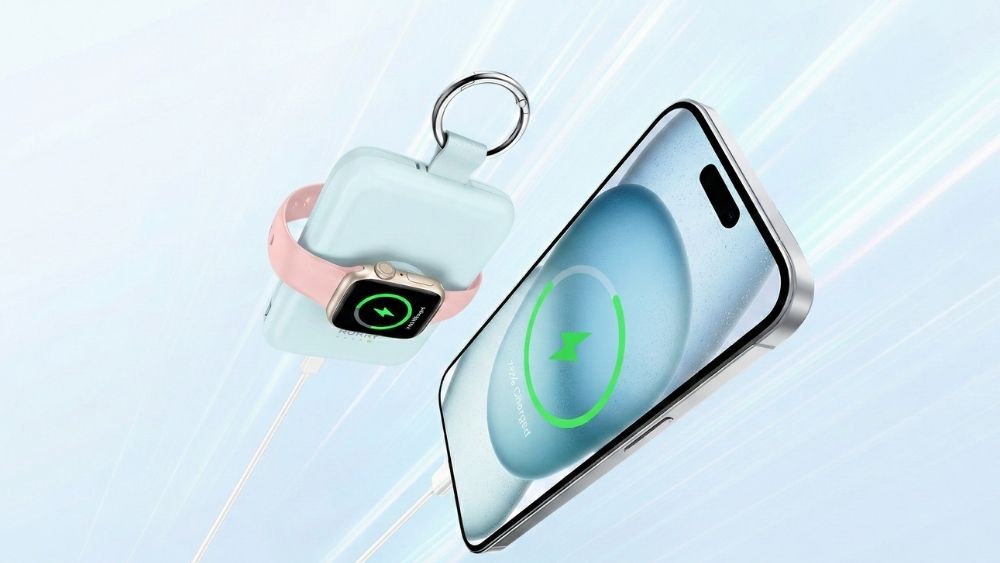
For users who mainly need portable top-ups during a commute or short trip, the RORRY CharmGo® D2 5000mAh Power Bank combines a compact keychain design with built-in charging connections and Apple Watch support. Its main advantage is convenient everyday backup power; users who prioritize maximum charging speed should still compare its output with the wattage supported by their phone.
Slow charging is useful when several hours are available and charging speed offers no practical benefit. Lower power commonly produces less heat, although a damaged or inefficient charger can still cause problems.
The tradeoff is time. A low-power source may take several hours to charge a large phone, tablet, or power bank, and it may not provide enough power for a laptop that is being used at the same time.
For a desk or bedside setup where several hours are available, the RORRY AuraDock® M1 4-in-1 Charging Station keeps an iPhone, Apple Watch, and earbuds together and includes a detachable 10,000mAh magnetic power bank. The recommendation is based on multi-device convenience rather than a claim that wireless charging always produces less battery wear.

Users charging a computer should first confirm its USB-C input requirements. A detailed guide explains how to charge a laptop with a portable charger without choosing an underpowered source.

Fast charging makes sense during travel, work, or any situation in which a short top-up is more useful than waiting for a full charge. Keep the phone in a ventilated area and avoid gaming, video editing, or other demanding tasks if the device is already warm.
A slower charge is practical at a desk or overnight because the device has several hours to finish. Enable Optimized Battery Charging, Adaptive Charging, or an 80% charge limit when the device provides one. These features reduce unnecessary time at a full charge and manage the final charging stage automatically.

Keep the device cool. Do not charge in direct sunlight, a hot vehicle, under bedding, or in a tightly packed bag. Remove a thick case if the device repeatedly becomes too warm.
Use compatible accessories. Choose an undamaged charger and cable that support the device's charging standard. A higher wattage rating is generally safe when the equipment is standards-compliant because the device requests the power it can accept.
Avoid heavy use when the phone is hot. Gaming, video recording, navigation, and hotspot use add processor and radio heat while charging.
Use battery optimization features. Optimized and adaptive charging can reduce the time the battery remains at 100%. An 80% limit is useful when a full charge is not needed every day.
Do not obsess over every percentage. Partial charging is normal for lithium-ion batteries. Charging to 100% before a long day is also reasonable when the extra runtime is useful.
False. Compatible fast charging is a controlled process. Repeated excessive heat can accelerate battery aging, but the fast-charging label alone does not show how much wear will occur.
False when the charger, cable, and phone use compatible standards. The phone requests an appropriate power level. Damaged, counterfeit, poorly regulated, or incompatible equipment should not be treated as equivalent to a compliant USB-C PD charger.
Not necessarily. Avoiding long periods at 0% or 100% can support long-term health, but the ideal range depends on how the device is used. Built-in optimization features are more practical than constantly monitoring the percentage.
False. Wireless charging is convenient, but poor alignment and inefficient power transfer may create additional heat. Use a compatible charger, align the device correctly, and keep the charging area ventilated.
Yes, when the phone, charger, and cable are compatible and undamaged. If the device repeatedly becomes unusually hot, improve ventilation, stop demanding tasks during charging, or use a lower-power option when speed is unnecessary.
Usually, if both devices support compatible USB-C charging standards and the cable is suitable. The phone requests the power it can accept rather than automatically receiving the charger's full rating.
It may help when it keeps the battery cooler, but there is no fixed lifespan increase that applies to every phone. Temperature, charge cycles, time at a full charge, and device use also affect battery aging.
No. An 80% limit can reduce long-term stress when you do not need maximum runtime, but charging to 100% is reasonable before travel or a long day. Use the setting that matches your daily needs.
Some warmth is normal because charging and power conversion create heat. If the phone becomes uncomfortable to touch, shows a temperature warning, or pauses charging, disconnect it and let it cool in a ventilated place.
Slow charging is usually the cooler option, while fast charging is the more practical choice when time matters. Modern devices are designed to manage compatible fast charging, so there is no need to avoid it completely. Use fast charging for short, useful boosts, choose slower charging when several hours are available, and focus on keeping the device cool with reliable, compatible equipment.


Share:
MagSafe vs. USB-C: 6 Ways to Tell Which Is Better
What to Look For in a Power Bank? A Beginner’s Guide