Charging a laptop with a portable charger (power bank) is significantly more complex than charging a mobile phone. Due to the high power consumption of laptops, the process requires specific hardware compatibility and adherence to technical protocols. This guide outlines the essential requirements, operational procedures, and safety standards for effective mobile charging.
1. Can Your Laptop Be Charged?
Before attempting to charge, you must verify if your laptop’s hardware architecture supports external DC power input via USB.
-
USB-C Power Delivery (PD) Ports: Most modern laptops (e.g., MacBook, Dell XPS, ThinkPad X1) support charging via a USB-C port. Look for a small "lightning bolt" icon (indicating Thunderbolt) or a "plug" icon next to the port.
-
Proprietary DC Barrel Ports: If your laptop uses a traditional round or square charging port, a standard USB power bank will not work. These require a specialized high-capacity power station equipped with DC output and matching adapter tips.
2. Technical Specifications: Matching the Power
For a "fast charge," the output capacity of the portable charger must meet or closely approach the power requirements of your laptop.
Rated Wattage (W)
Check the label on your laptop’s original power adapter (e.g., 65W). Your portable charger’s output should align with this:
-
Low Wattage (18W–30W): The laptop may display a "Slow Charger" warning, or the battery may continue to drain even while plugged in.
-
Optimal Matching: It is recommended to use a power bank with at least 65W PD output. For high-performance or gaming laptops, a 100W output is preferred.
Power Delivery (PD) Protocol
Laptops generally require a high voltage of 20V to trigger the charging circuit. Standard power banks often only output 5V or 9V. You must ensure the portable charger is explicitly certified for USB-C Power Delivery (PD).
3. Popular Laptop Battery Specs (2025-2026)
|
Laptop Model
|
Battery Size (Wh)
|
Required Power (W)
|
|
MacBook Air (M3/M4, 13")
|
52.6Wh
|
30W - 70W
|
|
MacBook Pro (M4, 14")
|
72.4Wh
|
70W - 96W
|
|
Microsoft Surface Laptop 7 (13")
|
54Wh
|
39W - 65W
|
|
Dell XPS 14 (9440)
|
70Wh
|
60W - 100W
|
|
Lenovo ThinkPad X1 Carbon (G12)
|
57Wh
|
45W - 65W
|
|
MacBook Pro (M4 Max, 16")
|
99Wh
|
96W - 140W
|
|
ASUS ROG Zephyrus G14 (2025)
|
73Wh
|
100W+
|
3. Standard Operational Procedures
Following a specific connection sequence helps protect the internal circuitry and ensures the charging handshake is successful.
Step 1: Verify Power Bank Readiness
Before connecting, ensure your portable charger has enough capacity to handle a high-drain task. Identify the specific USB-C PD port on the charger, as this is usually the only port capable of outputting the 65W+ required for laptops.
Step 2: Establish the Connection Sequence
To prevent "reverse charging" (where the laptop drains into the power bank), always plug the cable into the portable charger first, then connect the other end to the laptop. This allows the power bank to initialize as the power source before the laptop is detected.
Step 3: Use the Designated Charging Port
Laptops often have multiple USB-C ports, but not all support "Power-In." Look for a small lightning bolt or power plug icon next to the port. Using a data-only port will result in no power transfer.
Step 4: Confirm the Power Handshake
Check your laptop’s battery icon in the taskbar or menu bar. A "lightning bolt" or "Plugged in" status confirms a successful handshake. If you see a "Slow Charger" warning, it indicates the power bank’s output is lower than the laptop’s current energy consumption.

4. Safety Precautions and Risk Mitigation
-
Thermal Management: High-power charging generates significant heat. Never charge a laptop while it is inside a laptop sleeve or backpack. High temperatures accelerate battery degradation and can trigger safety shutdowns.
-
E-Marker Chips: High-quality 100W cables contain an "E-Marker" chip that communicates with the devices to regulate current. Using cheap, uncertified cables can result in unstable voltage and damage to the laptop's power management module.
-
The 20% Rule: Avoid waiting until your laptop is completely dead. Charging is most efficient and puts the least stress on the hardware when started around the 20% battery mark.
How Do You Choose the Right Portable Charger for Your Laptop?
Selecting a power bank for a laptop requires more scrutiny than choosing one for a phone. To ensure longevity and performance, prioritize these four critical factors.
Output Wattage: Match Your Laptop’s Demand
The most important factor is the Power Delivery (PD) rating. For a laptop, the wattage must be high enough to power the hardware and charge the battery simultaneously.
-
The Baseline: A minimum of 65W is the standard for most Ultrabooks and business laptops.
-
Pro-Level Needs: For 14-inch or 16-inch high-performance laptops (like the MacBook Pro), look for 100W or even 140W (PD 3.1) to ensure the device doesn't lose charge during intensive tasks.
Rated Capacity: Balance Energy vs. Portability
Laptops have large batteries, so you need a high-capacity cell to get a meaningful amount of extra runtime.
-
The "Sweet Spot": Look for capacities between 20,000mAh and 27,000mAh. A 20,000mAh Power bank typically provides about one full charge for a standard 13-inch laptop.
-
Aviation Regulations: Most international airlines prohibit power banks exceeding 100Wh (Watt-hours) in carry-on luggage. To stay compliant, choose a bank rated at 99Wh or below (which is usually around 27,000mAh).
Smart Features: Real-Time Monitoring & Logic
Modern high-end portable chargers now include features that take the guesswork out of charging.
-
Smart Digital Displays: Choose a model with a built-in screen that shows real-time input/output wattage. This allows you to verify that your laptop is actually receiving the 65W or 100W promised.
-
Intelligent Power Allocation: Check the "Port Distribution" specs. Many chargers claim 100W but drop to 45W if you plug a phone into the second port. Look for chargers that can maintain high wattage on the primary USB-C port even when multiple devices are connected.
Brand Reliability: Safety & Build Quality
Because you are dealing with high-voltage electricity, the internal build quality is a safety matter.
-
Brand Reliability: Stick to established brands known for power electronics (such as Anker, RORRY).
-
Safety Protocols: Reputable brands include advanced circuitry for Over-Voltage Protection (OVP), Short-Circuit Protection, and Active Temperature Monitoring. Cheap, unbranded chargers often skip these components, risking permanent damage to your laptop’s motherboard.

6. Optimizing Charging Performance
-
Reduce Background Load: Lower screen brightness and close high-drain applications (e.g., video editing, gaming) to allow more current to go directly into the battery.
-
Charge While Powered Down: If the power bank’s output is lower than the laptop’s demand, charging while the laptop is turned off is the fastest and coolest method.
-
Focus on the 20%–80% Range: Lithium-ion batteries charge most efficiently in this range. Charging speed significantly decreases after 80% as the device enters a "trickle charge" phase to protect the battery.
7. What Size Power Bank Do I Need?
The "size" of a power bank refers to its energy capacity, measured in Watt-hours. What Size Power Bank Do I need depends on your specific Equipment and Scene.
Equipment Considerations
-
Light Equipment (Tablets): If your device has a battery under $40Wh$, a compact 10,000mAh to 15,000mAh bank is plenty for a full charge.
-
Professional Gear (Ultrabooks): For most 13-14 inch laptops, a 20,000mAh bank is the gold standard, providing roughly one full recharge.
-
Heavy Duty (16" Workstations): High-end laptops use batteries near the 100Wh limit. You will need a 25,000mAh bank to get close to a 100% refill.
Scene Considerations
-
Daily Commuting: A slim 20,000mAh bank balances weight and power for coffee shop sessions.
-
Air Travel: Most airlines limit portable chargers to 100Wh. A 25,000mAh bank giving you the maximum legal power allowed in a carry-on.
Conclusion
To charge your laptop safely and fast, the key is matching the wattage (65W–100W) and using a certified E-marker cable.
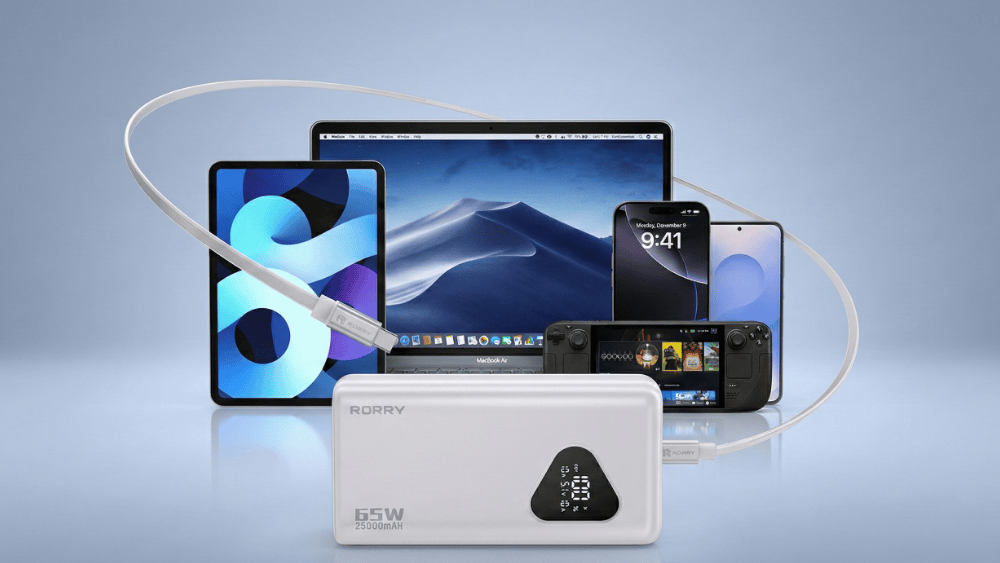
For travelers, RORRY is a great choice, offering compact 65W/25,000mAh models that balance high-speed output with flight-legal capacity. By following the 20%-80% charging rule, you can effectively extend your runtime without compromising battery health.





Share:
How Long Does It Take to Charge a Power Bank? A Complete Guide
What Power Bank Capacity is Allowed on Planes? 2026 Rules