


- by kehuiyi
Does iPad Have Wireless Charging? From Old Models to 2026
- by kehuiyi
If you’re used to the seamless snap of an iPhone onto a MagSafe charger, it’s only natural to expect the same for your tablet. However, the answer remains no: Apple has yet to bring native wireless charging to the iPad lineup.
This guide breaks down the technical hurdles involved and explores the high-performance power solutions that actually outperform wireless tech for the 2026 ecosystem.
As of 2026, even the latest iPad Pro and the refreshed iPad Air lack native Qi2 or MagSafe charging. While iPhones and AirPods have fully embraced a wireless world, the iPad remains tethered to its USB-C port for power. Placing your iPad on a standard Qi pad results in nothing but magnetic interference.
Despite the popularity of wireless charging and Magsafe, implementing it on a tablet poses several unique engineering challenges that Apple has yet to solve to its satisfaction:
Aluminum Chassis Constraints: Apple continues to use high-grade aluminum for the iPad’s body because of its durability and light weight. However, electromagnetic induction cannot pass through metal. To enable wireless charging, Apple would need to switch to a glass or plastic back. For a 13-inch device, a glass back would significantly increase the weight and make the device much more fragile.
Battery Capacity vs. Speed: An iPad’s battery is roughly 3–4 times larger than an iPhone's. Standard 15W wireless charging would take over 8 hours to reach a full charge. In an era where users expect "fast" power, such a slow trickle is seen as impractical.
Thermal Management: The inductive charging process inherently generates heat during power transfer. Within the ultra-thin chassis of modern iPads, this thermal buildup can lead to processor performance throttling and, over time, accelerate the degradation of the lithium-polymer battery’s chemical health.

In 2026, we have high-performance alternatives that offer more reliability and speed than any current wireless solution could provide.
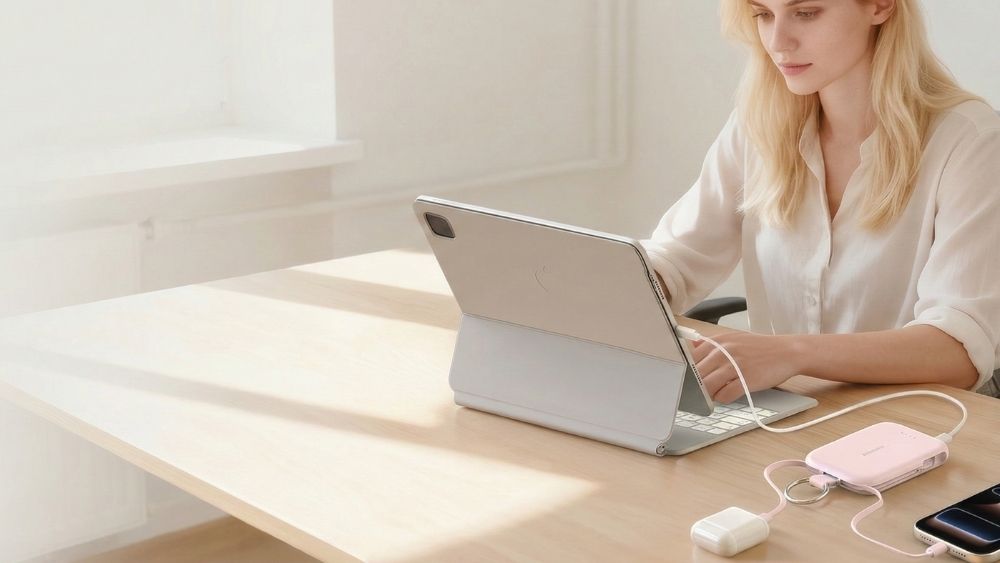
For professionals on the move, a high-capacity portable charger is the gold standard. 2026-era models now easily output 40W to 65W, allowing you to charge your iPad Air 8 from 0% to 50% in about 30 minutes. RORRY portable charger solutions are particularly popular here, as they often combine magnetic mounting with integrated USB-C cables to maintain that "all-in-one" convenience that wireless charging users crave.
Instead of waiting for wireless technology to catch up, use a GaN wall adapter. These are incredibly small but powerful enough to charge your iPad, iPhone, and MacBook simultaneously at full speed. A single 65W GaN brick can replace three old-fashioned power adapters in your travel bag.
These desktop charging stations utilize the iPad’s internal magnetic array and Smart Connector to deliver power at a fixed viewing angle. Unlike inductive charging, this contact-based architecture facilitates a direct electrical connection through the rear three-pin interface. Many of these professional docks are engineered with PD pass-through, allowing the iPad to receive power while maintaining a connection to the workstation.
A rising trend in 2026 is the plug in power bank. These devices feature an integrated foldable wall plug, allowing them to function as a high-speed GaN wall adapter when connected to an outlet and a portable battery while on the go. This versatility allows you to fast-charge your iPad directly from the wall and then simply unplug the unit to use it as a mobile power source, eliminating the need to carry separate bricks and extra cables.

For an integrated power solution, many professional docks utilize the iPad's native Smart Connector. This interface consists of three magnetic, conductive pins that facilitate a direct electrical connection without the need for a USB-C cable.
Pros:
Port Availability: The primary USB-C port remains free for high-speed data transfer or external displays while the device receives power through the rear pins.
Reliable Alignment: Internal magnets ensure the conductive pins are perfectly seated, providing a stable "drop and go" experience.
Cons:
Capped Power Output: While efficient, the Smart Connector is typically limited to 15W–20W. This is slower than the 30W+ speeds achievable via a direct USB-C cable connection.
Hardware Specific: This method requires compatible accessories, such as the Magic Keyboard or certified magnetic desktop stands.
Orientation Constraints: Power delivery is only maintained while the iPad is docked in a specific landscape or portrait position to keep the pins aligned.

To keep your iPad’s battery healthy through 2026 and beyond, Apple has introduced several new software features in iPadOS. Here is how to maximize your longevity:
Use the "80% Limit" Feature: Available on the iPad Air 8 and M4 Pro models, you can now set your iPad to stop charging at 80%. This significantly reduces battery wear by avoiding the high-voltage stress of a 100% charge.
Use the Correct Wattage: Always use a charger (or portable charger) rated for at least 30W. Using an underpowered phone brick causes the charger to run at maximum heat for hours, which is inefficient and can shorten the lifespan of the adapter itself.
Port Hygiene: If your charging feels "loose," check the USB-C port for lint. A quick clean with a non-conductive tool can often "fix" a seemingly broken charger.
While the iPad Air 8 hasn't brought us the glass-backed MagSafe dream just yet, the tech ecosystem of 2026 has provided better options. By combining Smart Connector accessories, high-output GaN blocks, and reliable portable chargers, you can enjoy a fast and clutter-free charging experience that outperforms current wireless tech in every way.
Until battery science takes its next big leap toward room-temperature superconductors or solid-state batteries, a high-quality wired fast-charging setup remains the smartest choice for any serious iPad user.
If the USB-C port is physically damaged, your only native option is the Smart Connector (the three magnetic pins on the back). By using a compatible dock or a Magic Keyboard, you can bypass the broken port to deliver power directly to the device.
You can charge an iPad by connecting it to a high-output USB-C port on a MacBook or PC, using a high-capacity power bank, or docking it via the Smart Connector pins. Standard low-power USB ports (like those on older cars or airplanes) may be too weak to charge a modern iPad while it's in use.
Yes, but only for about one full charge. Most modern iPads (like the Air 8 or 13-inch Pro) have batteries ranging from 7,600mAh to 10,000mAh. Due to energy loss during transfer, a 10,000mAh bank will typically provide one 0-90% charge. For long trips, a 20,000mAh bank is recommended.
First, check for lint or debris in the USB-C port using a non-conductive tool. Next, ensure your charger provides at least 20W-30W; underpowered phone bricks often fail to trigger the charging icon. Finally, try a "Force Restart" (Volume Up, Volume Down, then hold the Power button) to reset the charging controller.
While not "bad" for a single use, keeping an iPad at 100% while plugged in for weeks can accelerate battery degradation. In 2026, it is best to use the "80% Limit" feature in iPadOS settings to maintain the chemical health of the lithium-polymer battery over the long term.


Share:
RORRY Launches RORRY Flow: All-in-Mini, Free to Go
Does Phone Charge Faster on Low Power Mode? The Real-World Test