


- by Fuzley
How Long Does It Take to Charge a Power Bank? A Complete Guide
- by Fuzley
Whether you are prepping for a trip or just heading out, knowing exactly when your portable charger will be ready is essential. Generally, a full charge takes anywhere from 1.5 hours to over 10 hours, depending heavily on your setup. For example, a standard 10,000mAh power bank usually takes 3–4 hours with fast charging, compared to 4–6 hours with a standard plug. A larger 20,000mAh unit typically requires 5–6 hours on high power, but can drag on for 8–10 hours if using a slower adapter.
This guide details the real-world charging times for every capacity, explains the key factors affecting speed, and shares expert tips to help you charge more efficiently.
We have calculated these times based on standard charging speeds (5V/2A) and fast charging (PD 18W+).
This is the standard size for compact or magnetic wireless portable chargers.
Standard Input (5V/2A): Approx. 2 - 3 hours.
Fast Input (18W+ PD): Approx. 1.5 hours.

The most common size balancing portability and power.
Standard Input (5V/2A): Approx. 4 - 6 hours.
Fast Input (18W+ PD): Approx. 3 - 4 hours.
Designed for travel, these large batteries take longer to fill.
Standard Input (5V/2A): Approx. 8 - 10 hours.
Fast Input (18W+ PD): Approx. 5 - 6 hours.
The massive batteries are used for camping or extended trips.
Standard Input (5V/2A): 10 - 15 hours.
Fast Input (18W+ PD): Approx. 7 - 8 hours.
|
Power Bank Capacity |
Standard Charger (5V/2A) |
Fast Charger (18W - 20W PD) |
|
5,000 mAh |
2 - 3 Hours |
~ 1.5 Hours |
|
10,000 mAh |
4 - 6 Hours |
3 - 4 Hours |
|
20,000 mAh |
8 - 10 Hours |
5 - 6 Hours |
|
30,000 mAh+ |
10 - 15 Hours |
7 - 8 Hours |
To demonstrate how the charging method affects speed, we compared a 5000mAh power bank using three different methods:
Using a Wall Charger (Standard vs. Fast Charging)
Standard Charger (5V/2A): Using an old USB-A adapter takes about 3 hours.
Fast Charger (20W PD): Using a USB-C charger takes about 1.5 hours. If your power bank supports PD input, this is the most efficient method.
Using a Car Charger
Built-in Car USB Port: Most cars' built-in USB-A ports only output 0.5A (2.5W). It could take 6+ hours to fill a small 5,000mAh bank.
Cigarette Lighter PD Charger: If you use a dedicated fast-charging adapter (18W+) plugged into the cigarette lighter, speeds can match a wall charger.
Using a Built-in AC Plug
Some power banks come with a foldable wall plug directly on the unit.
To manage heat and internal space, these built-in plugs are usually capped at around 20W.
Charging a 5,000mAh unit this way takes about 1.5 - 2 hours.
The charging time of power banks of the same capacity can vary, which usually depends on the following factors:
The input power is the primary determinant of charging speed. Older Micro-USB ports are typically limited to a maximum of 18W. In contrast, modern USB-C ports supporting Power Delivery (PD) protocols can accept inputs from 18W up to 140W, significantly reducing the required charging time.
The quality of the cable determines the maximum current it can safely carry. Low-quality or non-certified cables often have high internal resistance, which forces the charger to lower the current to prevent overheating. For fast charging, a cable rated for 3A or 5A is required.
The output wattage of the wall adapter directly dictates the charging speed. Standard adapters typically provide only 5W or 10W. To simplify this, you can choose a model like the RORRY Plug-In Power Bank. It features a built-in 20W AC plug for direct fast charging and includes an automatic power cut-off function.
Ambient temperature directly impacts the efficiency of lithium-ion batteries. In high temperatures, the battery management system reduces input power to prevent overheating. Conversely, in cold environments, the chemical activity inside the battery decreases, causing charging to slow down or stop.
Battery performance degrades with use and time. As a power bank ages, the internal resistance of the battery cells increases. Consequently, an older device (used for 2-3 years) will take longer to reach a full charge compared to a new unit, particularly during the final saturation phase.
If your charging time is dragging on far longer than expected, check these common culprits:
Charging via Laptop USB Ports: Computer USB ports typically output very low power (approx. 2.5W). This is about 4 to 5 times slower than using a standard wall charger.
Incompatible or Low-Quality Cables: Not all cables are built to handle high-speed currents. Using an old, damaged, or data-only cable will prevent the power bank from activating its fast-charging mode.
Extreme Temperatures: Batteries are sensitive to their environment. If the device detects that it is too hot or too cold, the internal safety system will automatically throttle the charging speed to prevent damage.
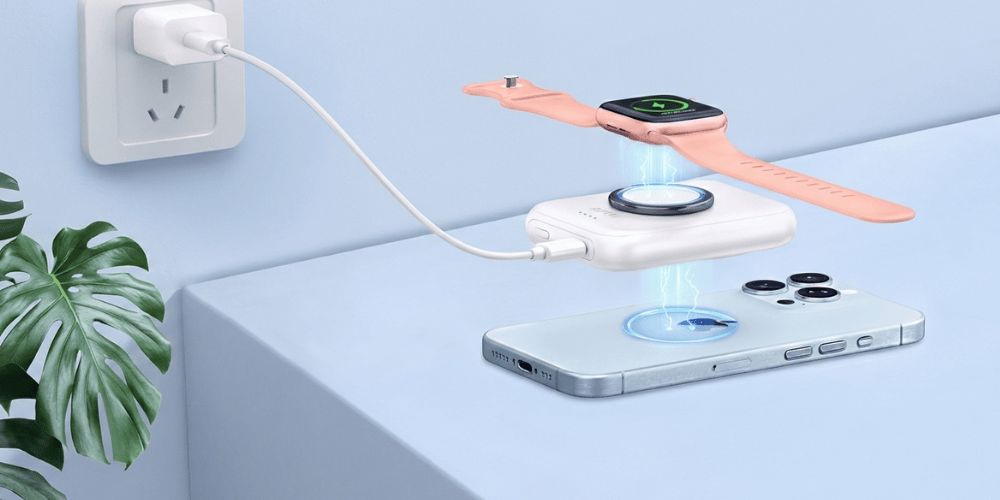
Simultaneous Use: Charging a high-power device (like a phone) while recharging the bank usually slows down the process significantly. However, for the power bank for apple watch, this effect is negligible because the watch consumes very little power, so both can charge efficiently without any delay.
 Tips to Speed Up Charging
Standard adapters are too slow for modern batteries. Upgrade to a Power Delivery wall charger and use a high-quality USB-C to USB-C cable. This combination is required to unlock fast charging protocols above 18W.
Lithium-ion batteries charge most efficiently at moderate room temperatures. Avoid charging in direct sunlight, hot cars, or freezing conditions. Extreme temperatures will cause the battery management system to throttle speed to prevent damage.
For charging speed and safety considerations, we recommend choosing reputable brands, such as RORRY, a top-ranked brand on Amazon known for its quality and variety, with a 95% positive review rate. All portable chargers support high-power input and have the necessary safety certifications (such as 3C or UL).
Refrain from "pass-through charging" (plugging a phone into the power bank while the bank is plugged into the wall). This practice splits the incoming power, generates excess heat, and significantly slows down the recharging process for the power bank.
Ensuring a secure connection and a proper charging process is crucial for fast charging. For a complete, step-by-step walkthrough of the physical process and safety checks, please refer to our guide: How to Charge a Power Bank? (Detailed steps).
Just bought a new portable charger? Here is the best practice for the first cycle.
Most power banks ship with 30% to 60% charge due to international shipping safety regulations.
While modern lithium batteries don't have a "memory effect", charging to 100% the first time helps calibrate the digital percentage readout.
When all LEDs are solid, the battery is about 95-98% full. It is good practice to leave it plugged in for another 20-30 minutes to allow the "trickle charge" to fully saturate the cells.
In summary, the time it takes to charge a power bank depends primarily on the input power and the quality of the charging accessories used. To minimize wait times, it is essential to match your device with a compatible fast charger and a high-quality cable. Can choose a certified and reliable RORRY portable charger to ensure you get efficient charging performance.
Yes. Any reputable power bank has an internal circuit that cuts off power once the battery reaches 100%. It is safe.
Technically, fast charging creates more heat, which can slightly affect battery health over time. However, the impact is minimal. The time saved is worth the negligible difference in lifespan.
This is normal. Once the battery reaches about 80%, the system enters a "trickle charge" mode. It automatically lowers the input power to prevent overheating and overcharging, which protects the battery's lifespan.
Yes, but with restrictions. According to FAA and international regulations, power banks must be carried in your carry-on luggage. Most airlines allow batteries up to 100Wh (approximately 26,800mAh) without prior approval.

Share:
What Is a Portable Charger’s Lifespan and Cycle Life in 2026?
How to Charge a Laptop with a Portable Charger: A Technical Guide for Fast and Safe Charging