


- by EditorialTeam
Why Are My AirPods Flashing Red? 7 Fixes to Try
- by EditorialTeam
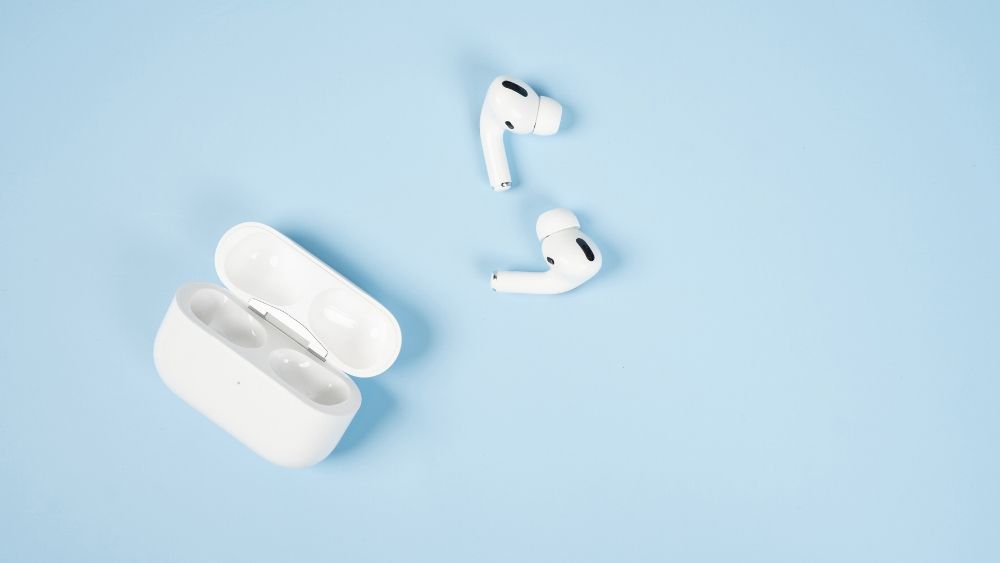
A red-looking light on an AirPods case is usually Apple's amber status light. A brief flash can simply report a low battery, while repeated flashing with charging or connection problems points to a pairing, contact, or setup issue. The pattern matters more than the color alone, so check when it appears before resetting anything. This guide helps you identify the signal, work through the fixes in the right order, and know when the case needs service.
Apple does not list red as an AirPods status color; it calls the light amber. Depending on the room lighting and the case model, amber can look orange or red. That means “flashing red” is not one diagnosis.
The light pattern and what the AirPods are doing at the same time tell you whether anything is wrong. Use this quick guide before resetting the case:
|
Light pattern |
Most likely meaning |
What to do |
|
Brief flashing amber |
Often a low-battery status signal on newer cases. |
Charge the case, then check the battery percentage. |
|
Steady amber while charging |
The case or earbuds are charging and are not yet full. |
Leave them connected until the light turns green or the battery screen confirms a full charge. |
|
Persistent flashing amber |
Possible pairing, setup, charging-contact, or replacement-part issue. |
Reseat both earbuds, clean the case, reconnect, and reset if necessary. |
|
Flashing white |
The AirPods are ready to pair. |
Bring the open case close to your device and follow the setup prompt. |
|
Green |
The indicated battery is charged. |
No fix is needed. |
|
No light |
The case may be fully depleted, or the light has timed out. |
Connect a known-working power source and wait before checking again. |
If you regularly charge several Apple devices, the RORRY AuraDock® M2 10000mAh 4-in-1 Charging Station gives the earbuds case a dedicated charging area alongside iPhone and Apple Watch charging, plus a detachable 10,000mAh magnetic power bank. A stable charging position can help rule out poor wireless alignment or an unreliable power source, although it cannot repair a pairing error or damaged AirPods case.

Work through these steps in order. Stop as soon as the AirPods charge, reconnect, and return to a normal green, amber, or white status pattern.

If a second cable or power source restores charging, the original charging accessory—not the AirPods—was likely the problem. For a portable way to test and recharge the case away from an outlet, the RORRY CharmGo® D2-5000mAh Portable Charger combines built-in USB-C and Lightning cables with a compact 5,000mAh keychain design and supports AirPods and AirPods Pro charging. It is a practical mobile alternative to the AuraDock M2 desk setup, but neither product can correct a pairing or internal case fault.
When only one AirPod appears in the battery screen or produces sound, the problem is usually limited to that earbud rather than the entire case. Start by checking the battery display on your iPhone or iPad. If one side has no charging symbol or percentage, remove it and place it back in the case until the magnet seats it securely.
Clean the bottom of the affected AirPod and its charging well with a dry, lint-free cloth or soft-bristled brush. Then charge both earbuds in the closed case for at least 30 minutes. If the missing side returns, the issue was most likely poor contact or a deeply discharged earbud.
If one AirPod remains missing after charging and reseating it, forget the AirPods in Bluetooth settings and complete the model-specific reset below. A replacement earbud may also need to remain in the powered case with the paired device nearby before the set can reconnect. If the same side is still not detected after a reset, arrange service for the earbud and case.
|
Models |
Reset method |
|
AirPods 1, 2, or 3; AirPods Pro 1 or 2 |
Put both earbuds in the case, close the lid for 30 seconds, then open it. Hold the setup button on the back for about 15 seconds until the light flashes amber and then white. |
|
AirPods 4 or 5; AirPods Pro 3 |
Put both earbuds in the case and close the lid for 30 seconds. Open it, double-tap the front while the light is on, double-tap again when it flashes white, then double-tap a third time when the white flashing becomes faster. The light should flash amber and then white. |
After the light flashes white, keep the lid open, hold the case near your device, and follow the setup animation. If the reset sequence never reaches white, charge the closed case for another 20 minutes and try once more.

You cannot prevent every pairing or hardware fault, but these habits reduce charging errors and make persistent amber flashing less likely:
Arrange service if the light keeps flashing after a full charge, cleaning, a second power source, and the correct reset. Service is also appropriate when one earbud is never detected, the case will not accept power by cable or wireless charging, the case becomes unusually hot, or you see swelling, corrosion, impact damage, or signs of liquid inside.
A charger replacement is reasonable only after another power source proves the AirPods case itself still works. If the charger is the failed part, you can compare current RORRY charging solutions; if the case fails with more than one verified charger, seek AirPods service instead of buying more accessories.
Not through Apple's standard reset procedure. A supported factory reset requires both AirPods to be seated in the case so the case can recognize and reset the complete set. You can forget the incomplete set in Bluetooth, but you normally need the missing or a compatible replacement AirPod before completing setup again.
Charge the case with both AirPods inside for at least 20 to 30 minutes, clean and reseat both earbuds, and then use the reset method for your exact model. If the light never changes from amber to flashing white, test another power source and update the paired Apple device. AirPods that still cannot enter pairing mode need service.
The status light may have timed out, or the case may be completely discharged. Connect a known-working charger for at least 15 minutes, then open the lid and check again. If the case remains dark with more than one cable, adapter, or compatible wireless charger, its battery, charging port, or internal hardware may have failed.
The clearest signs are sharply reduced listening time, one earbud draining much faster, repeated charging failures, frequent disconnections, or a case that loses power while unused. One isolated red-looking light is not enough to prove the batteries are failing; look for the same performance problem after charging, cleaning, reconnecting, and resetting.
AirPods do not have a fixed expiration date, but daily-use batteries commonly become noticeably weaker after about two to four years. Earbuds can continue working longer if their runtime still meets your needs. Replacement becomes practical when short battery life, unreliable charging, or connection failures continue after normal troubleshooting.
AirPods that appear to flash red are usually showing an amber light. A brief flash can be a normal low-battery message; persistent flashing combined with failed charging or pairing is the real warning sign. Start by charging and reseating both earbuds, then clean the case, test another power source, reconnect, and reset only if the earlier steps fail. If the case still will not charge or reach a white pairing light, it is time for service.

Share:
12 Corporate Gift Ideas for Finance and Banking