


- by kehuiyi
Does Wireless Charging Work with a Case? Charging Guide
- by kehuiyi
Wireless charging is a standard convenience for modern smartphones, but one question remains: can you keep your case on?
The short answer is usually yes—but it depends on the case material, thickness, and design. A poorly chosen case can reduce charging speed, cause overheating, or stop charging altogether. This guide explains how wireless charging interacts with cases, what factors affect performance, and how to choose or adjust for the best experience.
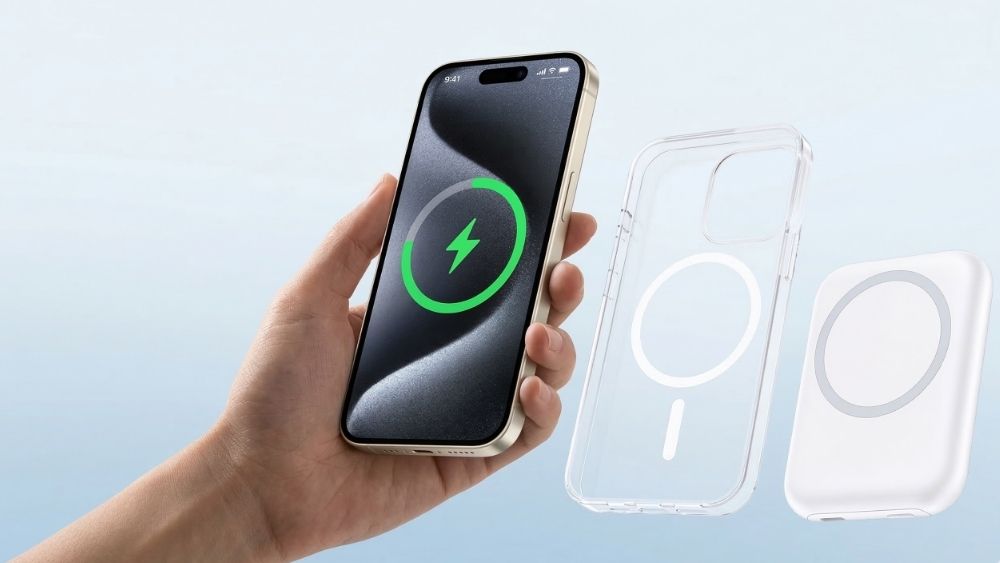
Wireless charging (MagSafe) works using the principle of electromagnetic induction: the charger creates a magnetic field that transfers energy to the receiver coil inside your phone. This process works through non-metallic materials, which is why most cases allow charging to continue.
However, any material or thickness that interferes with the magnetic field or adds distance between the coils can reduce efficiency. The key factors are:
Material: Plastic, silicone, TPU, leather, and wood usually work well.
Thickness: Most cases under 3–4 mm are fine; thicker ones start to cause issues.
Metal elements: Metal rings, plates, kickstands, or full aluminum cases block or weaken the field.
Thin and Non-Metallic Cases
Silicone, TPU, clear plastic, polycarbonate: Almost always fully compatible. Charging speed is usually the same as without a case.
Leather or fabric cases: Generally good, as long as they are not too thick or lined with metal foil for protection.
MagSafe-Compatible Cases
Official Apple MagSafe cases or certified third-party ones: Designed with built-in magnets that align perfectly with the charger, often improving speed and stability.
Cases with embedded MagSafe rings: These add alignment magnets without blocking the coil, making charging faster and more consistent.
Problematic Cases
Thick rugged cases: Often 4–6 mm thick, which increases distance and reduces power transfer. Charging may be slower or intermittent.
Cases with built-in metal kickstands, pop sockets, or wallet slots with metal cards: Metal interferes with the magnetic field, causing weak or no charging.
Full metal or heavy-duty armored cases: Usually incompatible—charging stops completely.

Cause: Case too thick or poor alignment.
Fix: Remove the case temporarily to test. If it charges faster without, switch to a thinner case or one with MagSafe alignment.
Cause: Inefficient power transfer due to case interference forces the charger to push harder, generating extra heat.
Fix: Use a thinner case, ensure perfect alignment (especially with MagSafe), or lower the charging power if your charger supports adjustable settings.
Cause: Using an iPhone model older than the iPhone 12, or a non-Apple smartphone that lacks internal MagSafe magnets.
Fix: Use a 3 in 1 Wireless Charging Station. These stations are designed with a flat or angled cradle and often feature anti-slip silicone surfaces to keep non-magnetic phones securely in place while charging.

Cause: Metal components in the case or misalignment.
Fix: Remove any metal accessories (rings, plates). For non-MagSafe chargers, try repositioning the phone slightly.
Cause: Metal blockage or excessive thickness.
Fix: Test without the case. If it works bare, the case is the culprit—replace it with a wireless-friendly one.
If you have a case you love that lacks built-in magnets, or if you are using an older device/Android phone without MagSafe, you have two highly effective workarounds:
Use a Magnetic Adapter Ring: Some manufacturers, such as RORRY portable charger, provide ultra-thin adhesive metal rings specifically for this purpose. You can stick this ring to the back of your existing case (or even the phone itself). This simple hack mimics the MagSafe experience, allowing your phone to snap onto magnetic chargers and stay perfectly aligned for stable wireless power delivery.
Switch to Hybrid Charging: If your case is simply too thick or made of heavy-duty material that blocks induction, the most reliable backup is a portable charger with an integrated cable. For example, a keychain power bank with a built-in Lightning or USB-C cable gives you the speed of a wired connection without requiring you to remove your favorite heavy-duty case.

Choose cases labeled “wireless charging compatible” or “MagSafe compatible”.
Keep case thickness under 3 mm for optimal speed.
For MagSafe users: Stick with certified cases to take full advantage of magnetic alignment.
Remove thick wallets or card holders before charging if they contain metal cards.
Clean both the charger pad and phone back regularly—dust or dirt can add extra resistance.
If your case has a kickstand, make sure it folds flat and doesn’t sit between the phone and charger.
In hot weather or during heavy use, consider removing the case temporarily to reduce heat buildup.
Cases trap heat. If the case causes misalignment, the charger works harder and generates more heat. Using a MagSafe-compatible case or magnetic ring ensures alignment and reduces heat.
No. Metal blocks the magnetic field and can overheat dangerously. Avoid cases with metal kickstands, rings, or credit cards unless they are specifically designed to be MagSafe-removable.
The induction field can demagnetize card strips. Always remove cards from wallet cases before charging, or use a detachable MagSafe wallet.
For older iPhones or Androids, simply stick an adhesive magnetic ring to your case. This adds magnetic "snap" and ensures perfect alignment for faster charging.
Slightly. Removing the case improves heat dissipation and coil proximity. However, with a slim or MagSafe-certified case, the speed difference is minimal.
Wireless charging works perfectly with most everyday cases, especially thin, non-metallic, or MagSafe-compatible ones. The main things to watch are case thickness, material, and any metal components.
If your case is too thick or lacks magnets, accessories from RORRY, such as adhesive magnetic rings or cable-integrated power banks, provide a reliable way to stay charged without removing your protection.


Share:
Does Phone Charge Faster on Low Power Mode? The Real-World Test
How Long Does iPhone Battery Last? Real Reviews (iPhone 8–17)