


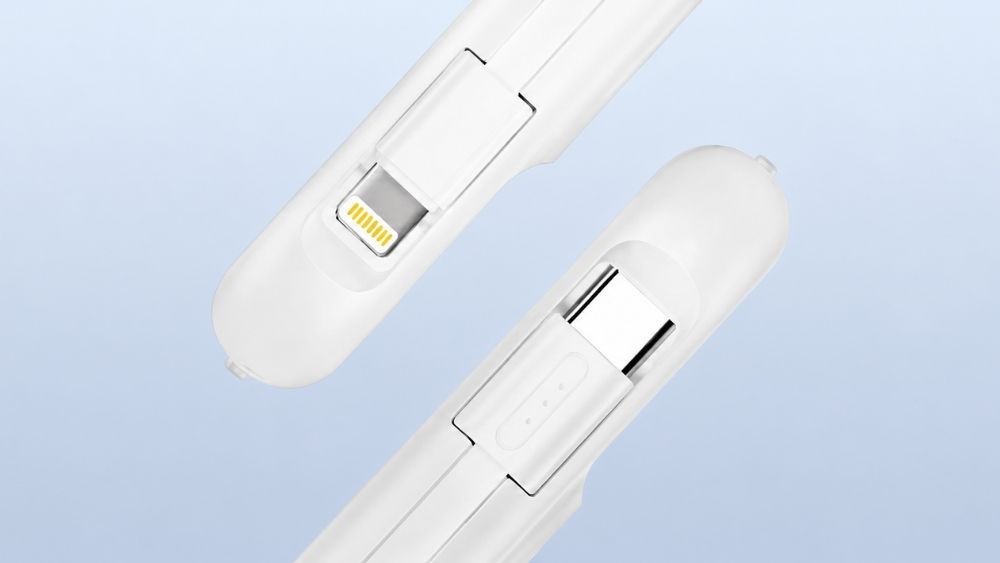
- par kehuiyi
USB-C vs Lightning: Which Charges Better and Faster?
- par kehuiyi
USB-C charges faster, transfers data faster, and works across more devices. Lightning is reliable and still functional on older iPhones, but Apple retired it with the iPhone 15. If you're deciding which setup to build around — or just want to understand what actually changed — this guide breaks it down from the ground up.
Apple introduced Lightning in 2012 to replace the older 30-pin dock connector. It was compact, reversible, and built exclusively for Apple devices. For over a decade, it powered virtually every iPhone, AirPods case, and a wide range of accessories.
Advantages:
Apple's MFi certification meant any certified cable behaved predictably — no "accessory not supported" errors from reputable brands
Rated for around 10,000 insertion cycles, reliable under daily use
Mature, widely supported ecosystem of cables, docks, and accessories
Limitations:
Hard-capped at 5V, which limits charging to a maximum of 20W
Data transfer maxes out at 480 Mbps (USB 2.0) regardless of cable quality
Apple-only — incompatible with any non-Apple device
No longer in active development since iPhone 15 (2023)
If you want to get the most out of a Lightning iPhone while you still have one, the habits covered in this guide on how to make your phone charge faster apply regardless of which connector you're using.

USB-C (USB Type-C) is the universal wired standard developed by the USB Implementers Forum — not by any single company. It was designed from the start to handle power, data, and video across all device types through one connector. Apple adopted it on MacBook in 2015, iPad Pro in 2018, and iPhone 15 in 2023.
Advantages:
Supports Power Delivery (PD), negotiating voltage up to 20V for speeds of 30W on phones, 65W on laptops, and beyond
Data transfer up to 10 Gbps on iPhone 15 Pro and later — over 20 times faster than Lightning
Universal: one cable works across iPhone, MacBook, iPad, Android, and most modern laptops
Rated for 20,000 insertion cycles — double Lightning's figure
Symmetrical design eliminates off-angle insertion stress
Limitations:
Cable quality matters more: a cable not rated for 3A won't activate fast charging even if both devices support it
High-wattage charging (above 60W) requires an E-Marker chip in the cable
Requires new cables when upgrading from a Lightning iPhone

This is where the difference is most felt day to day. Lightning's 5V architecture caps iPhone charging at 20W. Even with the best adapter and cable, an iPhone 14 takes roughly 40–50 minutes to reach 50%.
USB-C PD changes that ceiling entirely. On iPhone 15 and later, a 30W adapter gets to 50% in about 25–30 minutes — roughly half the time. The voltage negotiation that USB-C enables is the reason: it can ramp up to whatever wattage the device supports rather than being fixed at 5V from the start.
Lightning's lower wattage ceiling naturally kept iPhones cooler during charging. USB-C at 30W generates more heat, but Apple's battery management system throttles input above 80% to limit thermal stress — the same trickle-charge behavior found in most modern fast-charging setups.
The bigger heat risk in both cases comes from cable quality, not the connector itself. Cheap, uncertified USB-C cables cause voltage instability that generates far more heat than a properly rated cable ever would. This is especially relevant when using power banks on the go — a certified cable matters as much as the charger itself.
Lightning maxes out at 480 Mbps (USB 2.0) regardless of cable or adapter. USB-C on standard iPhone 15 models delivers 480 Mbps as well, but iPhone 15 Pro and later jump to 10 Gbps — fast enough to transfer a 4K ProRes video file in seconds rather than minutes. For most users this rarely matters; for content creators shooting directly to phone, it changes the workflow entirely.
Lightning is rated for ~10,000 insertion cycles. The small pins were reliable under normal conditions but vulnerable to bent-contact failures from off-angle insertions, and debris buildup in the port was a common issue.
USB-C is rated for ~20,000 cycles. The larger, more recessed contact area and symmetrical design both reduce wear over time. In practice, port longevity comes down more to cable habits than connector spec — but USB-C has the better starting point.
Lightning works only with Apple devices and MFi-certified accessories. One Lightning cable cannot charge anything outside that ecosystem.
USB-C works across essentially every modern device category: iPhone 15+, all current iPads, MacBooks, Android flagships, laptops, earbuds, and cameras. For anyone who carries multiple devices, a single usb c power bank covering everything is a real convenience gain.
|
Feature |
Lightning |
USB-C |
|
Max Charging Speed |
~20W |
30W+ (PD) |
|
0–50% Charge Time (iPhone) |
~40–50 min |
~25–30 min |
|
Data Transfer Speed |
Up to 480 Mbps |
Up to 10 Gbps (Pro) |
|
Insertion Cycle Rating |
~10,000 |
~20,000 |
|
Device Compatibility |
Apple only |
Universal |
|
Single-Cable Setup |
No |
Yes |
|
Current iPhone Support |
iPhone 14 and earlier |
iPhone 15 and later |

On iPhone 14 or earlier: Lightning still works fine. Your hardware was designed around it, and the performance ceiling matches those models. There's no practical reason to replace functional cables.
On iPhone 15 or later: USB-C is already your connector — the choice has been made. Focus on getting a 30W or higher PD adapter and a 3A-rated cable to actually use the speed your phone supports.
Traveling or working on the go: USB-C simplifies the kit significantly. One cable type covers your phone, laptop, and most other devices. Modern power banks output at full PD speeds over USB-C, so you're not leaving speed on the table the way you were with Lightning's 20W cap.
Buying new accessories today: Don't invest in Lightning cables, Lightning-specific power banks, or Lightning docks. Apple hasn't released a new Lightning device since 2023, and the accessory ecosystem has shifted. Whatever you buy now should be USB-C.
The RORRY portable charger lineup is built around USB-C PD as standard — compact, high-output, and matched to what current iPhones can actually use.
Lightning was well-engineered for its time and served iPhone users reliably for over a decade. USB-C is faster, more versatile, and built for the long term. For older iPhones, it still works — no need to change anything. For anyone buying new hardware, cables, or accessories in 2026, USB-C is the only direction worth building around.
No. Lightning caps at 20W charging and 480 Mbps data transfer. USB-C supports 30W+ via Power Delivery and up to 10 Gbps on iPhone 15 Pro and later. USB-C is faster in both areas.
Both are reliable with quality cables. Lightning had Apple's MFi program to enforce consistency. USB-C is equally dependable — the main issue is that cheap, uncertified USB-C cables are easier to come by and cause more problems.
No. USB-C is rated for 10,000 insertion cycles versus Lightning's 5,000, and the symmetrical design reduces off-angle stress. It's more durable on both counts.
Lightning is slightly narrower. USB-C is marginally wider but still compact — Apple had no issue fitting it into the standard iPhone 15. The difference is negligible in everyday use.
Two reasons: EU regulations required all smartphones sold in Europe to use USB-C by end of 2024, and USB-C is simply more capable — faster charging, faster data, and universal compatibility across the full Apple lineup.


Share:
Do you really need a 20,000mAh power bank? Who is it for?
How Do I Know if My Mac Is Charging Smoothly?