


- by kehuiyi
How to Charge Your Phone Faster? 6 Tips That Actually Work
- by kehuiyi
Most phones support fast charging. Most people are not using it — not because they lack the hardware, but because the adapter, cable, or habits around it are quietly capping the speed.
Switch to a 20W USB-C charger, enable fast charging in settings, and keep the phone cool while it charges. That alone can cut your charge time by 30–40%. The rest of this guide explains why each of these matters, and what else is worth fixing.
The wall adapter is the single biggest factor. Most modern smartphones support fast charging protocols, but they can only use that speed if the charger actually provides it. A standard 5W USB-A adapter takes roughly 3 hours to fully charge a modern smartphone. A 20W USB-C Power Delivery charger does the same job in under 90 minutes.
Heat is another silent culprit. When a phone gets too warm (above roughly 35°C / 95°F), the battery management system throttles the incoming current to protect the cells. Charging in a hot car, leaving your phone face-down on a soft surface, or running heavy apps while plugged in all trap heat and slow things down without you noticing.
Finally, where you plug in matters. Standard USB-A ports on laptops output around 2.5W to 5W — a fraction of what a wall charger delivers. The difference between fast and slow charging goes beyond speed — it also has a direct impact on long-term battery wear, worth keeping in mind if any of the above sounds familiar.

Once you know what is slowing things down, the fixes are straightforward. Most are just changes to how you charge, not what you buy.
When your phone is off, 100% of the incoming power goes straight into the battery. If that is not practical, airplane mode is a strong second option — it kills Wi-Fi, Bluetooth, and cellular simultaneously, cutting charge time by 15–25% compared to leaving the phone on normally. Low Power Mode is not the same thing: it limits background activity but keeps wireless connections alive, so the speed gain is much smaller.
Streaming, scrolling, or running navigation while charging means the screen and processor are consuming power at the same time the battery is trying to fill up. Heavy usage can slow progress to near zero — the charger barely keeps pace with what the phone is burning. If you are in a rush, plug in and step away.
Heat throttles charging speed automatically. Remove thick or insulating cases before plugging in, lay the phone face-up on a hard flat surface, and keep it away from other heat-generating electronics. A cooler phone charges measurably faster, at zero extra cost.
The charger and cable set an absolute ceiling on charging speed — no setting can get around a weak power source. For wired charging, a USB-C Power Delivery adapter rated at 20W or above is the baseline for genuine fast charging. Avoid uncertified third-party adapters, which often deliver inconsistent wattage and can trigger safety circuits that slow everything down.
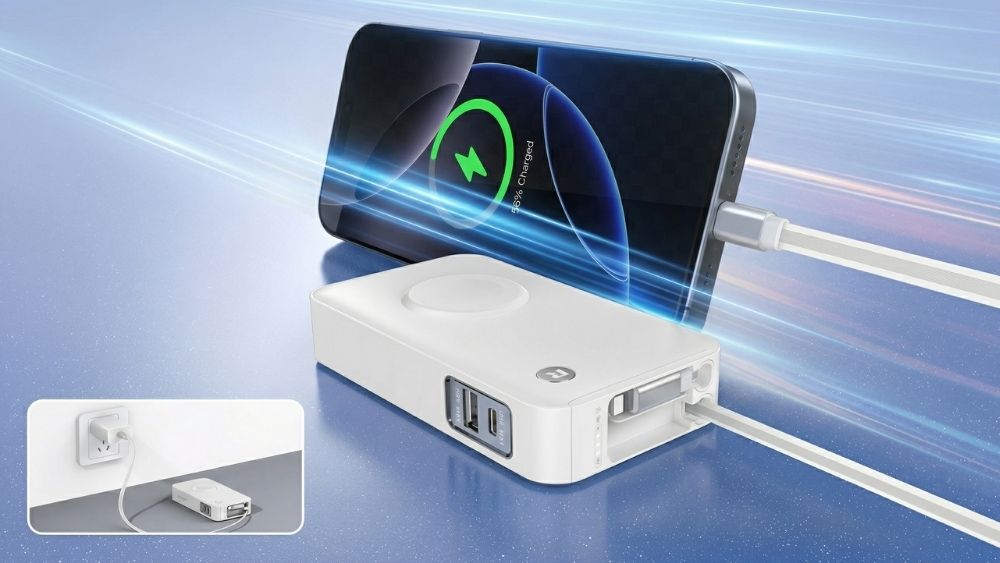
For charging on the go, the same logic applies. A quality power bank with a 20W PD output port can match wall charging speeds closely — making it a practical fast-charging option away from an outlet, not just an emergency backup.
Many Android devices ship with fast charging turned off by default, or it gets toggled during a software update. Go to Settings > Battery (or Device Care on Samsung) and confirm Fast Charging is switched on. iPhones handle this automatically — but Android users should check before assuming the hardware is working at full speed.
Dust and pocket lint accumulate in the charging port over time. Even a small amount of buildup prevents the cable from seating fully, which reduces contact quality and caps charging speed. A toothpick or soft brush can clear it in seconds. If your cable requires wiggling to hold a charge, this is almost certainly why.
Low-quality or ageing cables have higher internal resistance, which caps the power reaching your phone even if the adapter is perfectly capable.
For fast charging above 18W, you need a cable rated for at least 3A. USB-C to USB-C is the most capable option — it handles higher wattage in both directions and is the standard on most modern phones and chargers. RORRY portable charger use USB-C bidirectional ports as standard, so one cable handles both input and output.
If you are unsure, look for the USB-IF certification mark on the packaging. A quality replacement costs very little, and the speed difference is immediate.

Even with the right gear, a few common habits can undercut your charging speed without you realising it.
Charging from a laptop USB port. These ports output a fraction of what a wall adapter delivers. Use the wall whenever speed matters.
Pass-through charging on a power bank. Charging your phone from a plug in power bank while the bank itself is plugged into the wall splits the incoming power in two. Both devices slow down. Reserve this for genuine emergencies.
Using a worn cable. If you have to wiggle the wire to keep the light on, the cable is internally damaged — and a safety risk. Replace it.
Charging in a hot environment. Direct sunlight, a hot car, or a pile of other electronics will trigger thermal throttling every time. No charger can override the battery management system once heat kicks in.
The fastest charging setup comes down to a few fundamentals: the right adapter, a certified cable, fast charging enabled in settings, and a cool screen-off environment. Most people are leaving 30–40% of their potential speed on the table from habits and gear they have never thought to revisit.
If you need that speed on the go as well, RORRY builds a range of portable chargers with up to 22.5W output — so you are not trading speed for portability when you step away from the wall.
Marginally. The bigger wins come from airplane mode and stepping away from the screen — app management alone will not move the needle much.
Modern fast charging is designed for daily use and is generally safe. Over several years, very high-wattage charging can contribute slightly to battery wear, but the convenience far outweighs the marginal impact for most people.
Most phones enter a trickle charge phase above 80% to protect the battery from overheating and overcharging. The slowdown is a safety feature — your phone is prioritising longevity over speed in the final stretch.
Yes, safely. Smartphones negotiate the power they need via USB-PD handshaking — your phone will only draw what it can handle, even if the charger offers more.


Share:
What Does mAh Mean on a Battery/Power Bank? Complete 2026 Guide
iPhone Charging Port Not Working? Here's How to Fix It