


- by kehuiyi
Fast vs. Slow Charging: Which is Better for Your Battery?
- by kehuiyi
Slow charging is technically better for long-term battery health as it generates less heat and stress. However, fast charging is a safe, highly-regulated process that won't "kill" your device. The real key to longevity is managing heat—the primary enemy of all batteries.
By understanding the balance between speed and thermal safety, you can maximize your device's lifespan. This guide explains the science, compares both methods, and provides essential maintenance tips.
Lithium-ion batteries operate through the movement of ions between a cathode and an anode. The speed of this movement is determined by the power (wattage) applied.
The Ion Movement: During slow charging (typically 5W–10W), lithium ions migrate at a steady pace, embedding themselves into the electrode structure with minimal physical resistance. Fast charging (20W–100W+) utilizes higher current and voltage to accelerate this migration. While this reduces charging time, it increases the physical stress on the battery's internal components.
The Thermal Factor: In battery science, heat is the primary catalyst for degradation. When electrical current meets internal resistance, it generates thermal energy. If the battery's internal temperature consistently exceeds 40°C, the chemical electrolyte begins to break down, leading to permanent capacity loss.
Modern portable chargers manage this through "handshake" protocols (such as Power Delivery). These devices communicate with the smartphone or laptop to monitor temperature and voltage in real-time. They provide maximum power when the battery is empty and gradually switch to a cooler "trickle charge" as the battery reaches 80% to protect the cells from overheating.

While both methods successfully restore power, they leave different long-term footprints on the battery’s internal chemistry.
Gradual Capacity Loss: If you exclusively use fast charging, you may notice your "Maximum Capacity" (found in battery settings) dropping slightly faster. Over two years, a fast-charged battery might hold 5%–8% less total charge than one charged slowly.
Physical Wear: Fast charging causes the internal materials of the battery to expand and contract more aggressively. Over hundreds of cycles, this leads to minor structural wear, making the battery slightly less efficient at holding energy.
Long-Term Stability: Slow charging is objectively the "gentlest" method. Because the electricity flows at a lower intensity, the internal chemicals remain stable and cool.
Extended Lifespan: This method is the most effective way to ensure a device lasts 3–4 years without needing a battery replacement. It preserves the original chemical health for as long as possible.
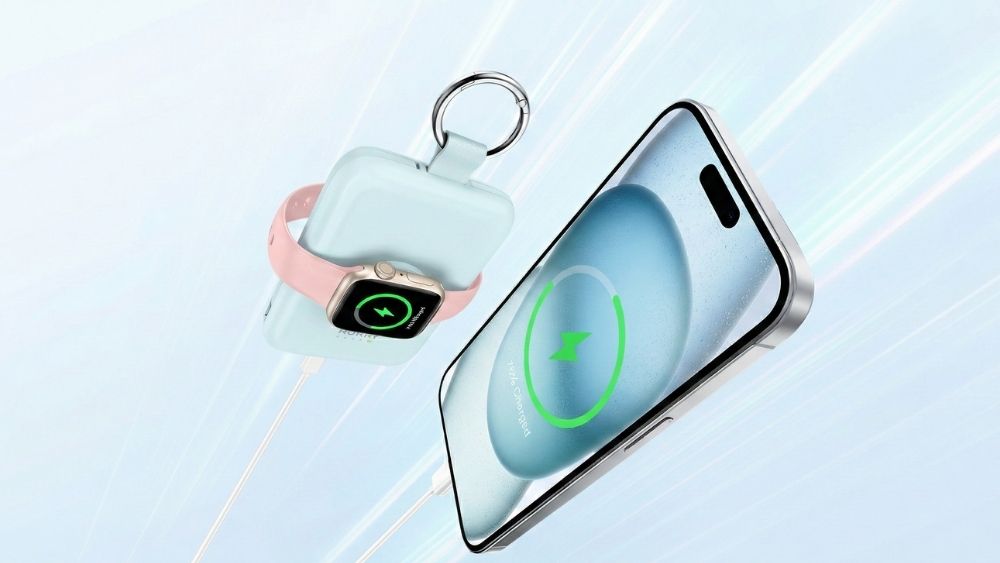
For instance, today's RORRY portable chargers can autonomously adjust voltage and actively manage thermal safety. As a result, the practical long-term difference in battery health between fast and slow charging is increasingly negligible for most users.

Fast Charging
Pros:
Very Easy to Use: Busy users can get hours of battery life from just 15-20 minutes of charging.
Charging high-power devices: Maximizes efficiency by supporting high-output hardware. This allows you to effectively charge a laptop with a portable charger, delivering the high wattage required for large tablets to recharge quickly.
Multiple device charging: Enables multi-device charging simultaneously, effectively distributing power.
Intelligent Power Management: Modern systems, the charger and device constantly negotiate the safest and most efficient voltage to prevent overcharging.
Ready for the Future: Fast charging is now the standard charging method for almost all new phones, tablets, and laptops.
Cons:
It Makes Heat: This can cause the battery to wear out faster over time because heat is a battery’s worst enemy.
Hardware adaptation: Requires high-quality, certified hardware to remain safe.
Needs the Right Gear: For the fastest speeds, the device, charger, and cable must all be compatible; otherwise, the charge will be slower.
Battery capacity degradation: Can lead to a minor acceleration in capacity loss over several years of frequent use.
Slow Charging
Pros:
The main advantage of slow charging is that it generates significantly less heat. Sending power slowly is the easiest method on the battery and helps it stay strong for longer.
It is a great choice for overnight charging when speed is not important, as a slow charge gets the device to 100% gently, without extra heat from a strong charger.
Minimizes heat-related degradation.
Cons:
Highly inefficient for active users.
Taking 4–5 hours for a full charge is often impractical for those relying on their devices throughout a workday.

Effective battery management is not about choosing one method exclusively; it is about matching charging speed to your specific situation while adopting healthy habits to preserve internal chemistry.
Active Use and Travel: Fast charging is the superior choice for productivity. Utilizing professional portable chargers with Power Delivery support ensures devices remain functional during limited windows, preventing work interruptions.
Overnight Charging: Speed offers no functional benefit during 6–8 hours of sleep. Using a 3 in 1 wireless charger station is ideal, as lower wattage allows the battery to reach full capacity under minimal thermal stress.

The "20–80%" Rule: Lithium-ion batteries experience the most stress when completely empty or full. Maintaining a charge between 20% and 80% can significantly extend the total number of cycles a battery can withstand.
Eliminate "Heat Stacking": Avoid running high-intensity apps (like 3D gaming or video editing) while fast charging. Combining processor heat with charging heat is a leading cause of battery swelling and health decline.
Ensure Proper Ventilation: Never charge a device under pillows, on soft bedding, or in direct sunlight. If a device becomes excessively hot, disconnect it immediately to protect the battery's lifespan.

Myth: Fast charging will damage your battery.
Charging is a controlled, multi-stage process. Devices only request maximum power when the battery is low and automatically throttle down as it fills. While heat causes gradual wear, fast charging is designed to be safe for daily use.
Myth: You must let your battery drop to 0% before recharging.
This is outdated advice. Modern Lithium-ion batteries are stressed by "deep discharges." It is much healthier to top up your battery frequently than to let it die completely.
Myth: Closing all background apps significantly speeds up charging.
Suspended apps use almost no power. To actually speed up the process, turning on Airplane Mode or power-saving settings is far more effective.
Myth: A high-wattage charger will overwhelm a small device.
Power is "pulled" by the device, not "pushed" by the charger. Using a 100W laptop adapter on a 20W phone is perfectly safe; the device will only take the specific amount of power it can handle.
In short, the ideal strategy is to combine both methods. Use fast charging for quick boosts during the day or while traveling to maintain productivity. For overnight charging, switch to slower methods to minimize heat and stress. By matching the speed to your situation and avoiding extreme temperatures, you can enjoy modern convenience while ensuring your battery lasts for years.
Yes. Modern devices and chargers have built-in chips to regulate power and prevent damage. While it generates more heat than slow charging, it is a safe, industry-standard technology designed for daily use.
Absolutely. Your phone only "pulls" the power it can handle. Using a 65W or 100W charger for a 20W phone is perfectly safe and won't "fry" the battery.
Not if used correctly. While it generates more heat than wired charging, using a 3 in 1 wireless charger station overnight is a great way to reach 100% gently while you sleep.
Following the "20–80% rule" is the best way to extend your battery's total lifespan, as it avoids the chemical stress of a completely full battery. However, charging to 100% occasionally for a long day is perfectly fine.
Heat is a natural byproduct of high-speed energy transfer. To protect your battery, avoid heavy tasks like gaming while charging and ensure the device has proper ventilation.


Share:
MagSafe vs. USB-C: 6 Ways to Tell Which Is Better
What to Look For in a Power Bank? A Beginner’s Guide